Firebase Auth 'requires-recent-login' in Flutter? The 4-Step Reauthenticate-Then-Retry Fix
Why does Firebase Auth throw "requires-recent-login" in Flutter?
Because you called a security-sensitive action on a user who signed in too long ago. Firebase's documentation says that deleting an account, setting a primary email address and changing a password require a recent sign-in; if the user signed in too long ago, the call fails with a FirebaseAuthException whose code is requires-recent-login. The fix is to ask the user to prove who they are again, pass the fresh credential to reauthenticateWithCredential (or the provider variant), then run the action once more. This guide gives a 4-step reauthenticate-then-retry method, the code for email, Google and Apple sign-in, and the errors that can still appear afterwards. Checked against Firebase and firebase_auth documentation on 2026-11-18.

Which Firebase Auth calls need a recent sign-in?
Three calls in the Flutter manage-users guide carry that requirement: updateEmail(), updatePassword() and delete(). Reading the user, updating the display name or photo URL, and sending a verification or password-reset email are not on that list.
| Call | What it does | Needs recent login? |
|---|---|---|
user.delete() | Deletes the account | Yes |
user.updatePassword(...) | Sets a new password | Yes |
user.updateEmail(...) | Sets the primary email (see the warning below) | Yes |
user.updateDisplayName(...) | Updates profile name | No |
sendPasswordResetEmail(...) | Sends a reset email | No |
Firebase doesn't publish a fixed number of minutes for "recent" in these pages, so don't hard-code a timer in your app. Catch the exception instead, which is always correct.
The 4-step reauthenticate-then-retry method
This is the pattern we use in our own Flutter apps for any sensitive action:
- Catch the code. Wrap the call in
tryand checke.code == 'requires-recent-login'. Any other code is a different problem. - Find how the user signed in. Read
user.providerData; each entry has aproviderIdsuch aspassword,google.comorapple.com. - Get a fresh credential. Ask for the password, or run the provider's sign-in again, and turn the result into an
AuthCredential. - Reauthenticate, then retry once. Call
reauthenticateWithCredentialand repeat the original action a single time. Never loop.

How do you reauthenticate an email and password user?
Build a credential from the email and the password the user just typed, then pass it to reauthenticateWithCredential. The firebase_auth reference describes that method as re-authenticating a user with a fresh credential, to use before operations such as updatePassword that need tokens from a recent sign-in.
Future<void> deleteAccount(String password) async {
  final user = FirebaseAuth.instance.currentUser!;
  try {
    await user.delete();
  } on FirebaseAuthException catch (e) {
    if (e.code != 'requires-recent-login') rethrow;
    final cred = EmailAuthProvider.credential(
      email: user.email!, password: password);
    await user.reauthenticateWithCredential(cred);
    await user.delete(); // retry once
  }
}
Ask for the password in your own dialog and don't store it. The same cred works for updatePassword and email changes.
How do you reauthenticate a Google or Apple user?
Run the provider's sign-in again and use the new result. For Google on Android and iOS, Firebase's Google sign-in guide builds the credential with GoogleAuthProvider.credential(idToken: ...) from a fresh Google sign-in, which you pass to reauthenticateWithCredential. For Apple and other federated providers, Firebase documents reauthenticateWithProvider on mobile, and reauthenticateWithPopup or reauthenticateWithRedirect on the web, "to retrieve fresh credentials for sensitive operations that require recent login".
final apple = AppleAuthProvider();
if (kIsWeb) {
  await FirebaseAuth.instance.currentUser?.reauthenticateWithPopup(apple);
} else {
  await FirebaseAuth.instance.currentUser?.reauthenticateWithProvider(apple);
}
// Now retry the sensitive operation once
If Google sign-in fails on release builds only, that is usually a certificate fingerprint problem; see our guide to fixing Google sign-in with the Play release SHA-1.
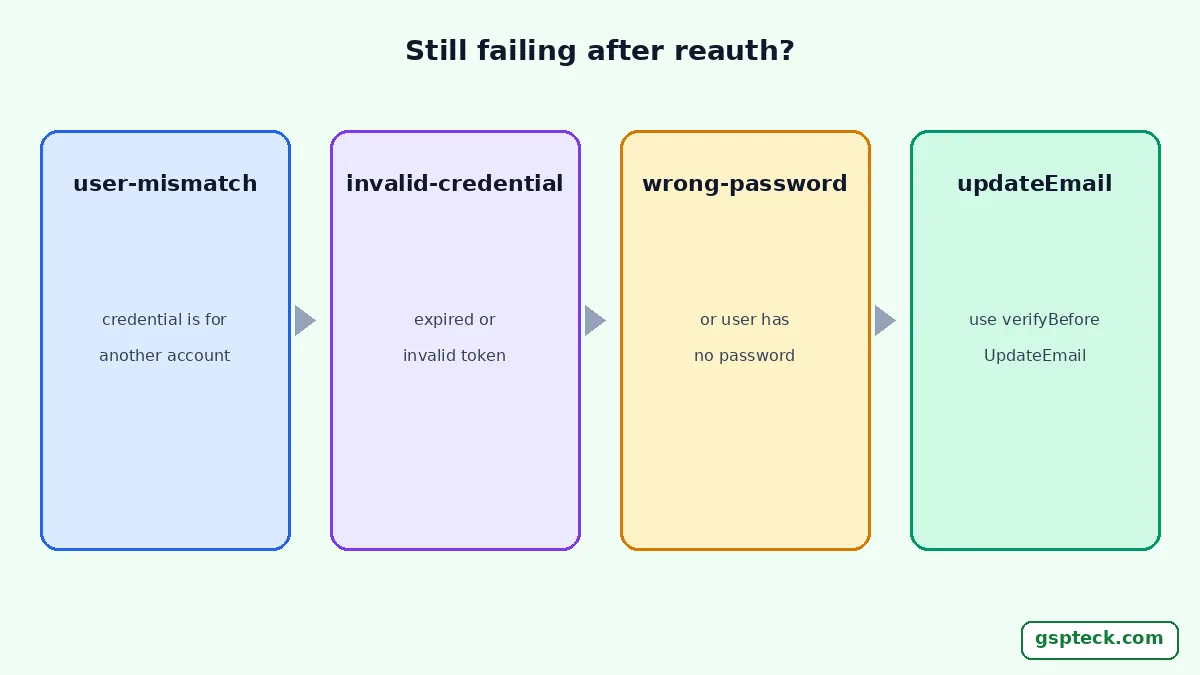
Why does reauthentication still fail?
Because the credential itself can be wrong. The firebase_auth reference lists the codes reauthenticateWithCredential can throw, and each points to a different cause.
| Code | Meaning in the reference | What to do |
|---|---|---|
user-mismatch | The credential doesn't belong to this user | Reauthenticate with the same account that is signed in |
invalid-credential | The provider credential is invalid or expired | Fetch a fresh token; don't cache credentials |
wrong-password | Password is wrong, or the user has no password | Re-prompt; for social users use their provider |
invalid-email | The email in the credential is malformed | Use user.email, not a typed value |
A user who signed up with Google has no password, so showing a password dialog to everyone is a common bug. Branch on providerData first.
Why does updateEmail still fail after reauthenticating?
Probably because email enumeration protection is on. Google's Identity Platform documentation says projects created on or after 15 September 2023 have it enabled by default, and that with it on, users can't change their email address without first verifying the new one, so updateEmail no longer works. It points to verifyBeforeUpdateEmail instead. In firebase_auth, that method sends a verification email to the new address and updates the user's email after it is verified. Keep the protection on; Google recommends it for all projects.
How does this fit account deletion and release checks?
Account deletion is the call that hits this error most, so test it properly. Our Google Play account deletion guide for Flutter and Firebase covers the requirement; try the delete button with an account that signed in a day ago, not one you just created. If you let users sign in with email links or social logins, also review hardening Firebase Auth against API key abuse.
The same screen matters for apps outside Flutter tutorials too; for a user-side view of removing an account, CoinX explains how to delete a crypto app account and its data for CoinDrop and Swappr. We build and ship apps like these with Flutter and Firebase; see GSPTeck's apps and services.

How should the reauthentication screen behave?
It should explain why, ask once and continue the action automatically. A bare password box with no context looks like phishing, so say "To delete your account, confirm it's you" and name the account's email. After a successful reauthenticateWithCredential, run the original action without sending the user back to the start.
For deletion, reauthenticate before you remove anything. If you delete a user's Firestore documents first and the final user.delete() then throws requires-recent-login, the account survives with half its data gone. Reauthenticating at the top of the flow avoids that state, and it keeps Firestore security rules satisfied while you clean up, because the user is still signed in. If the reauthentication step itself fails with a generic error, see the invalid-credential error during email and password sign-in.
To test the branch without waiting, make your auth layer injectable and have a fake throw FirebaseAuthException(code: 'requires-recent-login') on the first call. Assert that your code prompts once, reauthenticates, retries once and stops if the second call fails. Linking a second sign-in method can fail for a different reason; see the 4-step method for the account-exists-with-different-credential error.
FAQ
How recent is "recent" for Firebase Auth?
The documentation doesn't give a number of minutes. Treat it as unknown, catch requires-recent-login, and reauthenticate when it appears.
Can I avoid the error by signing the user out and in?
Signing in again does refresh the sign-in time, but reauthenticating is cleaner: it keeps the same session and returns you straight to the action.
Does reauthenticating change the user's uid?
No. reauthenticateWithCredential confirms the same account; a credential for a different account fails with user-mismatch.
Should I use updateEmail or verifyBeforeUpdateEmail?
Use verifyBeforeUpdateEmail on projects with email enumeration protection, which includes new projects since 15 September 2023. It updates the email only after the user verifies the new address.
Sources
- Firebase: Manage users in Firebase (Flutter), re-authenticate a user (checked 2026-11-18)
- Firebase: Federated identity and social sign-in (Flutter) (checked 2026-11-18)
- firebase_auth API: User.reauthenticateWithCredential (checked 2026-11-18)
- firebase_auth API: User.verifyBeforeUpdateEmail (checked 2026-11-18)
- Google Cloud: Email enumeration protection (checked 2026-11-18)