Flutter 'account-exists-with-different-credential'? The 4-Step Fix: Sign In, Then Link the Provider
What does "account-exists-with-different-credential" mean in Flutter?
It means the email address you just signed in with already belongs to a different Firebase user that uses another sign-in method, and your project has "One account per email address" turned on. Firebase Authentication then throws the FirebaseAuthException code account-exists-with-different-credential and hands you the new credential, so you can finish the sign-in. GSPTeck is giosaia's indie studio building mobile and web apps with Flutter and Firebase, and this is the error we see when someone signs in with Google after registering with Facebook or a password under the same email. Checked against the Firebase Authentication docs on 2026-11-21.

Why does Firebase refuse the second sign-in?
Because the "One account per email address" setting in the Firebase console stops two different providers from creating two users for one email. The error is a deliberate stop, not a bug: the user must prove they own the existing account first, then you attach the new provider to it.
| What you see | What the Firebase docs say | What to do |
|---|---|---|
account-exists-with-different-credential | Thrown when a user signs in with a provider using an email that already exists for another Firebase user's provider, with the setting enabled; the exception carries an AuthCredential | Keep the credential, sign in with the existing provider, then link |
e.email and e.credential | The docs sample reads the conflicting email and the pending credential from the exception | Store both in memory only for this one flow |
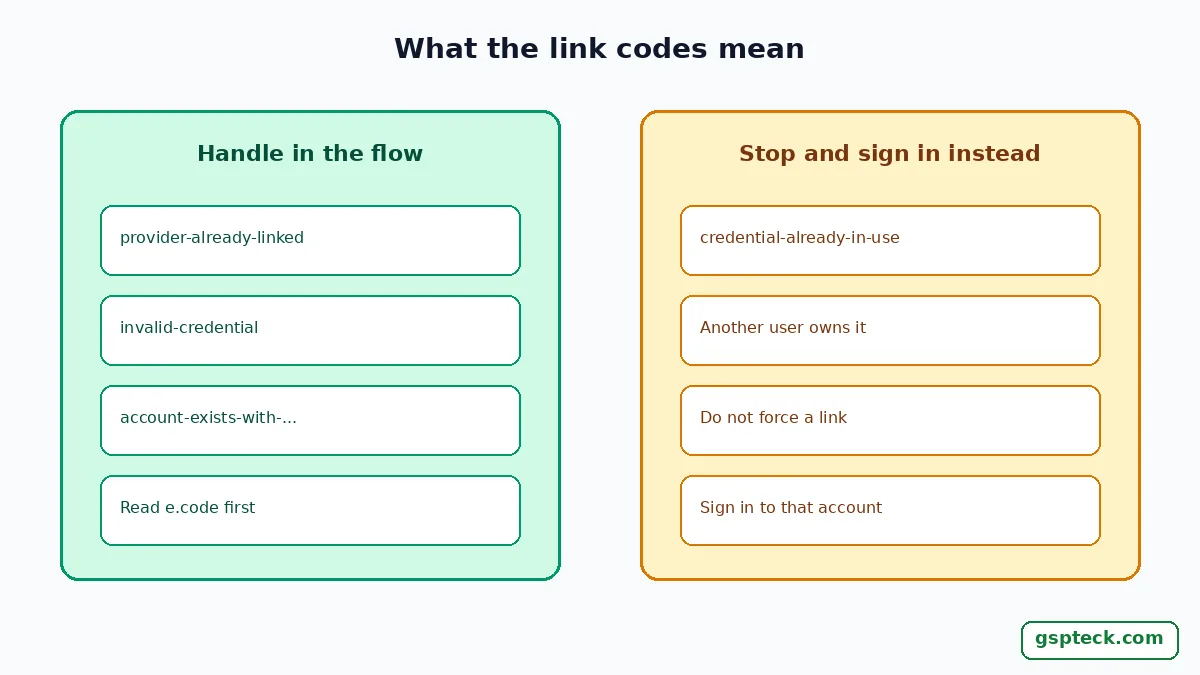
provider-already-linked | Thrown by linkWithCredential() when the provider is already linked to the user | Nothing to link; the user is already set |
credential-already-in-use | The account for that credential already exists, or is already linked to a Firebase user | Do not link; sign in to the account that owns it |
invalid-credential | The provider's credential is not valid | Request a fresh token from the provider and retry |
The 4-step Link After Conflict method
This is the Link After Conflict method: catch the error, keep the pending credential, sign in with the provider that already owns the email, then link the new provider. Do the steps in this order and never try to create a second account for the same email.
- Catch the exact code. Wrap the sign-in in
tryandon FirebaseAuthException catch (e), then comparee.codewith'account-exists-with-different-credential'. Printe.codeande.messagefirst, because other codes such astoo-many-requestsoroperation-not-allowedneed different fixes. - Keep the pending credential. Read
e.emailande.credentialfrom the exception. The credential is the new provider's proof, for example the Google ID token the user just produced. Hold it in a local variable; do not write it to disk. - Sign in with the provider that already owns the email. Tell the user which method they used before, then run that provider's normal sign-in: ask for the password for an email-and-password account, or open the Facebook flow if that was the original provider. The Firebase sample does this by looking up the sign-in methods for the email and treating the first one as the recommended method.
- Link the pending credential. Call
linkWithCredential(pendingCredential)on the signed-in user. When it succeeds, Firebase says the user can sign in with any linked provider and reach the same Firebase data. Handleprovider-already-linked,invalid-credentialandcredential-already-in-useexplicitly.
The same studio's note on the requires-recent-login error and reauthentication covers the next problem you may hit after linking. For provider setup that quietly breaks on release builds, see the Google Sign-In release SHA-1 fix for Play builds.
What the user sees, and what you should say
A raw error code is useless to a user, so turn it into one plain sentence and one button. For example: "You already have an account with this email using Facebook. Sign in with Facebook once and we will connect Google for next time." The screen should name the original provider, offer only that provider's sign-in, and link automatically afterwards. It should not ask the user to type their email again, because you already hold it in e.email.
Keep the flow honest about its limits. The docs sample uses a lookup of sign-in methods that returns a list; if you do not get a usable list, fall back to a generic "sign in with the method you used before" screen rather than guessing. Do not write code that turns off "One account per email address" to make the error disappear. That setting is what prevents two separate user records, and two records with separate data are harder to clean up than one extra tap.

A worked example: password first, then Google
Illustrative scenario. Maya registers in your app with an email and a password. Weeks later she taps "Continue with Google" on a new phone, using the same email. Your sign-in code receives account-exists-with-different-credential with her email and the Google credential attached. Your screen says she already has an account that uses a password, asks for it, signs her in with signInWithEmailAndPassword, and then links the held Google credential. From then on either method opens the same account and the same Firestore data. If instead you had called signInWithCredential again with the same Google credential, you would only have reproduced the error.
Mistakes that keep the error coming back
Most repeat failures come from three habits: retrying the same sign-in, throwing away the credential, or hiding the provider choice from the user. On newer projects the sign-in method lookup may return nothing; see why invalid-credential replaces wrong-password under email enumeration protection.
- Retrying the same sign-in. The conflict is a rule of your project, so a second identical call fails the same way.
- Losing the credential. If you do not keep
e.credentialin memory until the existing sign-in finishes, you have nothing to link and the user must start over. - Hiding which provider to use. A user who forgot they signed up with Facebook will just try Google again. Name the original provider on the screen.
Where this fits in a Flutter and Firebase app
Account linking is a small piece of a bigger release routine: provider setup, rules, App Check and a Play release that signs correctly. If you are working through a launch, our Flutter and Firebase release checklist for Google Play is the wider list, and Firebase Auth API key abuse hardening covers the security side of sign-in. You can see who builds these apps and where the official links live on the GSPTeck apps and official links page, or start at the GSPTeck homepage.
FAQ
Is account-exists-with-different-credential an error I should prevent?
No. It is the expected result when the setting "One account per email address" is on and an email already has an account under another provider. You handle it by signing in with the existing provider and linking, not by suppressing it.
Does linking merge two separate Firebase users?
No. Linking attaches a new provider to the user who is already signed in. If the other provider already has its own separate Firebase user, credential-already-in-use can be thrown, and you must sign in to the account that owns that credential instead.
Can I link without asking the user to sign in again?
Not for the conflict case. Firebase's documented flow requires the user to sign in to the existing provider first and then link the pending credential, so the person proves they own the account that holds that email.
What else can break sign-in besides this error?
Firebase's error-handling page also names too-many-requests, which appears when you hit the Authentication quota, and operation-not-allowed, which appears when a provider is not enabled. Read e.code before choosing a fix.
Sources
- Firebase Authentication: error handling in Flutter (account-exists-with-different-credential) (checked 2026-11-21)
- Firebase Authentication: link multiple auth providers to an account in Flutter (checked 2026-11-21)
