No Firebase App '[DEFAULT]' Has Been Created in Flutter? 6 Causes and Fixes (2026)
Why does Flutter say "No Firebase App '[DEFAULT]' has been created"?
Because some Firebase code ran before Firebase.initializeApp() had finished, or ran somewhere it was never called at all. The full message is [core/no-app] No Firebase App '[DEFAULT]' has been created - call Firebase.initializeApp(). Firebase's Flutter setup guide shows the required order: WidgetsFlutterBinding.ensureInitialized(), then await Firebase.initializeApp(options: DefaultFirebaseOptions.currentPlatform), then runApp(). This guide covers the six situations where that order breaks, with the fix for each, checked against the Firebase documentation (last updated 2026-11-12) on 2026-11-16.
GSPTeck is giosaia's indie studio building mobile and web apps with Flutter and Firebase, and this is the error we see first whenever a new Firebase product, entry point or isolate is added to an app.

The 6 causes at a glance
Match your symptom to a row first; the fix usually takes under ten minutes.
| # | Cause | Typical symptom | Fix |
|---|---|---|---|
| 1 | initializeApp never called, or not awaited | Error on the first Firebase call at launch | Await it in main() before runApp() |
| 2 | Something uses Firebase before main() finishes | Error from a service, provider or global field | Create those objects after initialisation |
| 3 | Background message handler runs in its own isolate | Push works in foreground, crashes in background | Call initializeApp inside the handler |
| 4 | Another entry point skips your setup | Works with one run target, fails with another | Share one bootstrap() function |
| 5 | Stale or missing firebase_options.dart | Fails on one platform only | Re-run flutterfire configure |
| 6 | Tests run with no native Firebase | Passes on a device, fails in flutter test | Put Firebase behind your own interface and fake it |
1. Did you call and await Firebase.initializeApp() before runApp()?
Probably not, if the error appears on the very first Firebase call. Firebase's setup guide initialises in main(), awaits the call, and only then starts the app, which means main has to be async.
Future<void> main() async {
  WidgetsFlutterBinding.ensureInitialized();
  await Firebase.initializeApp(
    options: DefaultFirebaseOptions.currentPlatform,
  );
  runApp(const MyApp());
}
Two details cause most of the damage here. Forgetting await lets runApp() start while initialisation is still running. And putting the call inside a widget's initState is too late for any code that runs earlier in the tree. Initialise once, at the top, and never per screen.
2. Is a service, provider or global field touching Firebase too early?
Often yes, when the error points at a line that isn't in main(). A field like final db = FirebaseFirestore.instance; at file level, or a dependency-injection container that builds repositories at import time, runs before initializeApp completes.
- Replace top-level
FirebaseAuth.instanceorFirebaseFirestore.instancefields with getters, or create the object afterawait Firebase.initializeApp(). - With a DI package, register Firebase-backed services lazily, or build the container after initialisation.
- Check static initialisers and
const-like singletons, which run the first time the class is touched.
If the next error you meet is permission-denied rather than no-app, initialisation is fixed and the problem has moved to your rules; our Firestore permission denied guide for Flutter picks up from there.
3. Does your background message handler initialise Firebase itself?
It must. Firebase's Flutter messaging guide says a background handler runs in its own isolate (on Android; iOS and macOS don't need a separate isolate), outside your app's context, so Firebase isn't initialised there until you do it.
| Rule from the Firebase guide | What to do |
|---|---|
| Not an anonymous function | Declare a named function |
| Top-level function | Not a class method that needs initialisation |
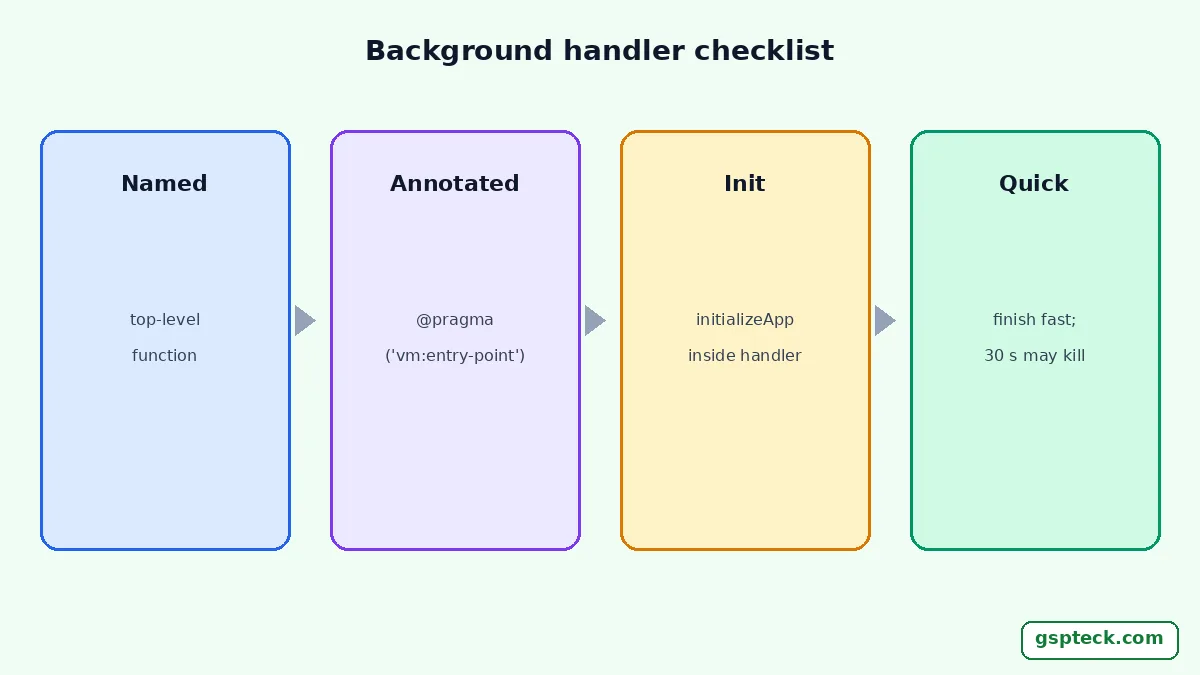
| Flutter 3.3.0 or higher | Annotate with @pragma('vm:entry-point') so release builds don't strip it |
| Using other Firebase services | Call await Firebase.initializeApp() first inside the handler |
| Long work | Finish fast; the guide says tasks over 30 seconds may get the process killed |
The handler also can't update app state or UI, because it isn't in the app's isolate. For token handling and delivery problems after this is fixed, see our FCM token hygiene guide.

4. Does every entry point run the same setup?
Only the entry point you run executes its own main(). If you build flavors with flutter run -t lib/main_dev.dart, or have a second entry for a widget, test harness or tool, each one needs the initialisation.
Move the shared steps into one bootstrap() function that does WidgetsFlutterBinding.ensureInitialized() and Firebase.initializeApp(...), and call it from every main_*.dart. If a staging build behaves differently from production because of App Check or project settings, our App Check staging guide explains that separate problem.
5. Is firebase_options.dart current for this platform?
Re-run flutterfire configure if the error or a related exception appears on only one platform. Firebase's guide says the command selects the platforms you support, creates a Firebase app for each, and writes firebase_options.dart, and that you need to re-run it whenever you start supporting a new platform or start using a new Firebase product, especially Google sign-in, Crashlytics, Performance Monitoring or Realtime Database.
The file holds unique but non-secret identifiers per platform, so it is safe to commit. If you use the Firebase Emulator Suite with a demo project, initialise with Firebase.initializeApp(demoProjectId: "demo-project-id"), where the ID starts with demo-, as the same guide describes. After changing configuration, do a full rebuild with flutter run, not a hot reload, because native configuration is read at launch. If Crashlytics reports nothing after the fix, our Crashlytics troubleshooting guide covers the next checks.
6. Do your tests run without native Firebase?
They do, which is why the same code that works on a device throws in flutter test. Unit and widget tests run on the Dart VM, with no native Firebase SDK behind FirebaseAuth.instance, so the first call fails with the same no-app error.
The reliable fix is architectural: wrap Firebase behind a small interface in your own code, inject a fake in tests, and keep real Firebase calls in the thin layer you test on a device or the emulator. That also stops tests from touching a real project. Our guide to shipping Flutter and Firebase apps as an indie developer shows how we structure that layer.
How do you confirm it is fixed?
Cold-start the app on each platform and run one call per Firebase product you use, with logging around initializeApp.
- Fully stop the app, then run it again with
flutter run. - Log a line before and after
await Firebase.initializeApp(), and confirm nothing Firebase-related logs before the first line. - Send a test push with the app in the background to prove the handler initialises.
- Run every entry point and flavor you ship, not just the default one.
If you want to see how we apply this across our own Flutter and Firebase apps, the GSPTeck homepage lists them.

FAQ
Do I need to call Firebase.initializeApp() on every screen?
No. Call it once at startup, awaited, before runApp(). Calling it again per screen adds nothing and can hide the real ordering problem.
Why does my app work in debug but show no-app in the release build?
Usually a handler or entry point that release mode strips or never runs. Check that background handlers are top-level and annotated with @pragma('vm:entry-point'). Our debug-versus-release guide lists other differences.
Does the no-app error mean my firebase_options.dart is wrong?
Not by itself. It only means no app was created when Firebase was used. A wrong or stale options file usually causes a different error, such as an unsupported platform, or fails on a single platform.
Is firebase_options.dart a secret?
Firebase's setup guide describes it as containing unique but non-secret identifiers for each platform. Protect your data with Security Rules and App Check rather than by hiding that file.
Sources
- Firebase: Add Firebase to your Flutter app (last updated 2026-11-12; checked 2026-11-16)
- Firebase Cloud Messaging: Receive messages in Flutter apps (last updated 2026-11-12; checked 2026-11-16)
- FlutterFire documentation overview (checked 2026-11-16)