Flutter Predictive Back on Android 16: Migrating WillPopScope to PopScope Before You Target API 36 (2026)
What changes for Flutter back navigation when you target API 36?
On Android 16, apps that target API level 36 get predictive back system animations by default: back-to-home, cross-task and cross-activity. Android's behavior-change notes add the part that bites older code: for those apps, onBackPressed is no longer called and KEYCODE_BACK is no longer dispatched. In a Flutter app, the fix is the migration Flutter has been asking for since 3.16: replace WillPopScope with PopScope, decide up front with canPop whether a route may close, and handle the result in onPopInvokedWithResult. This guide covers what changed, how to find the code that breaks, the migration patterns for the four common cases, and how to test it on a real Android 16 device before the Google Play target API deadline.
Why WillPopScope and predictive back don't mix
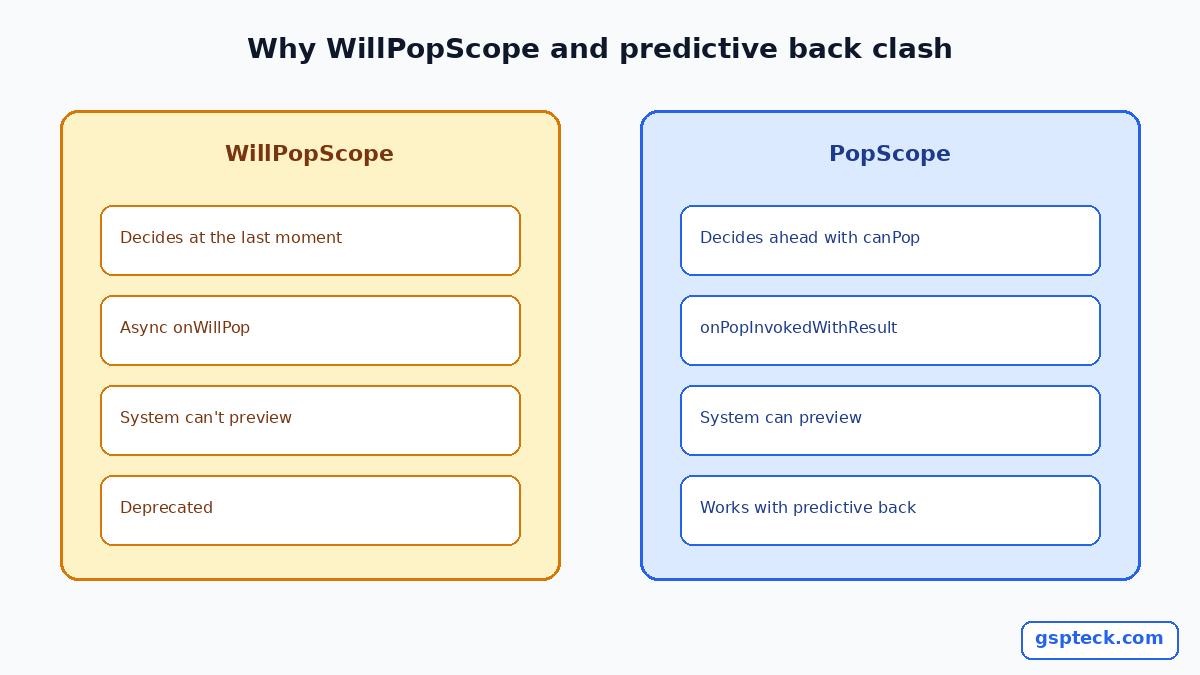
The old model was simple. The user pressed back, Android asked your app what to do, and WillPopScope.onWillPop could return false to cancel. That's a question asked at the moment of the gesture.
Predictive back works the other way round. As the user starts the swipe, the system already shows a preview of where back will go, for example the home screen. To draw that preview, Android must know before the gesture finishes whether your app will handle back itself. A callback that decides later can't answer in time. Flutter's breaking-change note says exactly this: the framework needs to know ahead of time whether a route can be popped, so WillPopScope was deprecated and replaced with PopScope, which declares the answer in advance.
The change landed in Flutter 3.14.0-7.0.pre and reached stable in 3.16. Current Flutter docs (written for 3.47) describe PopScope with the onPopInvokedWithResult callback.
What Android 16 changed, and the temporary opt-out
From Android's "Behavior changes: apps targeting Android 16 or higher" page:
- Predictive back system animations are enabled by default for apps targeting API 36 on Android 16 and later.
onBackPressedis not called andKEYCODE_BACKis not dispatched for those apps.- If your app intercepts back and isn't migrated yet, you can opt out temporarily with
android:enableOnBackInvokedCallback="false"on the<application>or<activity>tag.
Treat the opt-out as a bridge, not a fix. Google's guidance is to migrate, and the Flutter docs show the opposite setting: to support the predictive back gesture on Android 13 and later, add android:enableOnBackInvokedCallback="true" to the <application> tag in android/app/src/main/AndroidManifest.xml.
If you haven't raised targetSdkVersion yet, our Google Play target API 36 upgrade plan covers the deadline and the extension request.
What users see when it works
Flutter's docs say the framework has built-in support for predictive back animations across its default page route transitions and custom pop handling. In practice, when a user starts a back swipe on a pushed screen, the current page shrinks and slides to reveal the previous one, and the user can still cancel by sliding back. On the root route, the preview shows the home screen instead. Your job is not to build these animations, it is to tell Flutter the truth about which routes may close, so the preview never promises something the app then refuses to do. That is the whole point of declaring canPop ahead of time instead of answering in a callback after the gesture ends.
Step 1: find every place that intercepts back
Search the project for these, in Dart and in native code:
WillPopScopeandonWillPop(Dart)Form(onWillPop: ...)(Dart, deprecated in favour ofcanPopandonPopInvokedWithResult)onBackPressedorKEYCODE_BACKinMainActivityor plugins (Kotlin/Java)- Nested
Navigatorwidgets, for example inside a tab or bottom navigation - Packages that wrap back handling (check each one's changelog for
PopScopesupport)
Write each hit down with what it's trying to do. Almost all fall into four cases.

Step 2: migrate the four common cases
Case A: block back entirely
Before: WillPopScope(onWillPop: () async => false, child: ...). After: PopScope(canPop: false, child: ...). The system now knows in advance that this route won't close, so it won't show a misleading preview.
Case B: confirm before leaving (unsaved form)
This is the pattern Flutter's own docs show:
PopScope(
  canPop: false,
  onPopInvokedWithResult: (bool didPop, Object? result) async {
    if (didPop) return;
    final shouldLeave = await _showExitConfirmationDialog(context);
    if (shouldLeave && context.mounted) {
      Navigator.of(context).pop(result);
    }
  },
  child: const FormScreen(),
)
Two details matter. onPopInvokedWithResult is called after a pop was handled or blocked, so didPop tells you which. And once the user confirms, you pop the route yourself. Better still, make canPop track state: canPop: !hasUnsavedChanges, rebuilt with setState, so a clean form closes with the normal animation and only a dirty one asks.
Case C: forms
Form got the same treatment: use Form(canPop: ..., onPopInvokedWithResult: ...) instead of Form(onWillPop: ...).
Case D: nested navigators
If a tab hosts its own Navigator, back should pop inside the tab first. Flutter's migration guide points to NavigatorPopHandler for this. Wrap the nested Navigator in it and pop the nested stack from the handler's callback, so the root route only sees back when the nested stack is empty. Check the API docs for your Flutter version for the exact callback name.

Step 3: remove native back hacks
If MainActivity overrides onBackPressed, that code won't run for apps targeting API 36 on Android 16. Move the logic into Dart with PopScope, or, if it must stay native, use AndroidX OnBackPressedDispatcher callbacks, which Android's predictive back guide recommends. Then check plugins: a plugin that relied on onBackPressed needs an update from its maintainer.
Step 4: test on a real device
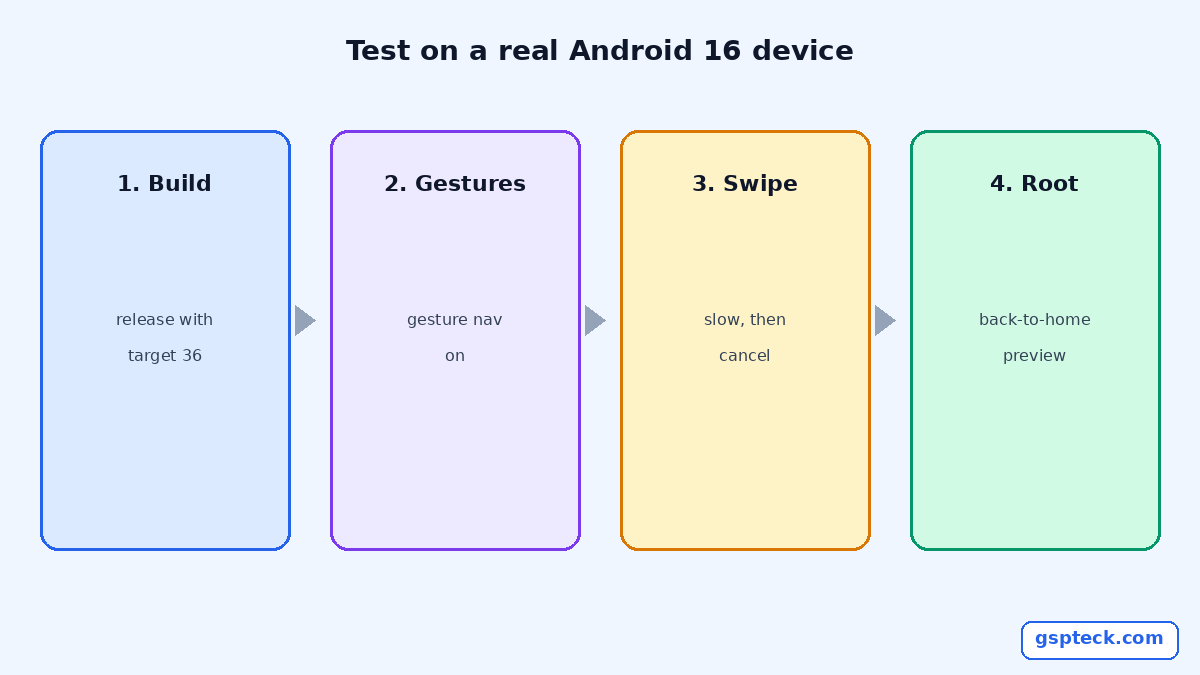
- Build a release APK or app bundle with
targetSdkVersion 36. - Install on a device or emulator running Android 16 with gesture navigation on.
- For every screen from Step 1, start a back swipe slowly and watch the preview. A screen with
canPop: falseshould not preview going away. - Finish the gesture, then cancel one midway. Both should behave.
- Test the root screen: back should preview back-to-home and close the app normally.
- Test deep links that open a screen with no route below it.
Run this before you start a staged rollout. Our staged rollout rules explain how to limit the damage if a back bug slips through, and the edge-to-edge guide covers the other Android 15/16 layout change that tends to ship in the same upgrade.
A quick checklist before you publish
- No
WillPopScopeorForm.onWillPopleft in your code (runflutter analyzeand look for deprecation warnings). canPopreflects real state, not a hard-codedfalseeverywhere.- No native
onBackPressedoverrides you still depend on. - Manifest flag decided on purpose:
truefor predictive back, orfalseonly as a dated, temporary opt-out. - Tested on Android 16 with gesture navigation, including cancelled gestures.

FAQ
Does WillPopScope still compile?
It's deprecated, so check your Flutter version's analyzer output. Even where it compiles, it can't tell the system in advance whether back will be handled, which is what predictive back needs.
Do I have to support predictive back right now?
If you target API 36, Android 16 enables the system animations by default. You can opt out temporarily with android:enableOnBackInvokedCallback="false", but Google treats that as a stop-gap.
Why does my confirmation dialog no longer appear?
Usually because the route still uses WillPopScope, or a native onBackPressed override that isn't called any more. Move the check into PopScope with canPop: false.
What about apps that still target API 35?
Android 16's default only applies to apps targeting API 36, but migrating now means the target API bump won't change back behavior unexpectedly.
Sources
- Android Developers: Behavior changes, apps targeting Android 16 or higher (checked 2026-10-28)
- Flutter docs: Android predictive back breaking change and migration guide (checked 2026-10-28)
- Flutter docs: Add the predictive back gesture (checked 2026-10-28)
- Android Developers: Add support for the predictive back gesture (checked 2026-10-28)