Flutter Foreground Service Types on Android 14+: Manifest, Permissions and the Play Declaration (2026)
What do foreground service types change for a Flutter app?
If your Flutter app targets Android 14 (API 34) or higher and anything in it starts a foreground service, three things must line up: the service must declare a foregroundServiceType in the manifest, the app must hold the matching FOREGROUND_SERVICE_<TYPE> permission, and you must fill in the foreground service declaration in Play Console. Miss the first and Android throws MissingForegroundServiceTypeException when startForeground() is called. Miss the last and the release gets stuck in review. On Android 15 there's a fourth piece: dataSync and mediaProcessing services get a time limit. Here's how I check all four in a Flutter project, including services added by plugins you didn't write.
Step 1: find every foreground service, including plugin ones
In Flutter, foreground services rarely live in your own Kotlin code. They come from plugins: audio playback, location tracking, background uploads, downloaders, call handling. Each plugin adds its service to its own manifest, which gets merged into yours. So the source of truth is the merged manifest, not android/app/src/main/AndroidManifest.xml.
- Build a release once:
flutter build appbundle. - Open the merged manifest under
build/app/intermediates/merged_manifests/release/, or open theandroidfolder in Android Studio and use the Merged Manifest tab. - Search for
<serviceand note each one with aforegroundServiceTypeor that the plugin starts in the foreground. - Search for
FOREGROUND_SERVICEto see which permissions the plugins already add.
The list is usually short. If it's empty, you don't need a Play declaration at all, and you can stop here.

Step 2: declare the type and the matching permission
Android's documentation is explicit: apps targeting Android 14 must give each foreground service at least one type, and declare the permission that matches it, alongside the general FOREGROUND_SERVICE permission. A media player looks like this:
<uses-permission android:name="android.permission.FOREGROUND_SERVICE" />
<uses-permission android:name="android.permission.FOREGROUND_SERVICE_MEDIA_PLAYBACK" />
<service
    android:name=".MyMediaPlaybackService"
    android:foregroundServiceType="mediaPlayback"
    android:exported="false" />
Most maintained plugins already do this. When one doesn't, or picks a type that doesn't fit your use, you can override the service entry in your app manifest with tools:node="merge" and set the right type. Pick the type that describes what the user sees, not the one that's easiest to get approved. Some types also need runtime permissions; location, for example, needs location access granted before you start it.

Step 3: the Play Console declaration
Google Play's help page says that apps targeting Android 14 and above must declare each foreground service type they use on the App content page (Monitor and improve, then App content). For each type you provide:
- a description of the feature that uses it;
- the user impact if the task is deferred or interrupted by the system;
- a link to a video showing the steps a user takes to trigger the feature;
- a use case chosen from Google's preset list.
The video is where reviews tend to go wrong. For dataSync, Google's guidance says it's for user-initiated transfers, and the video can't show fully automatic background backup. Record the real path: open the app, tap the action, show the ongoing notification. If you're also cleaning up other declarations, see how I handled the photo and video permissions rejection, which follows the same pattern.

Step 4: Android 15 time limits for dataSync and mediaProcessing
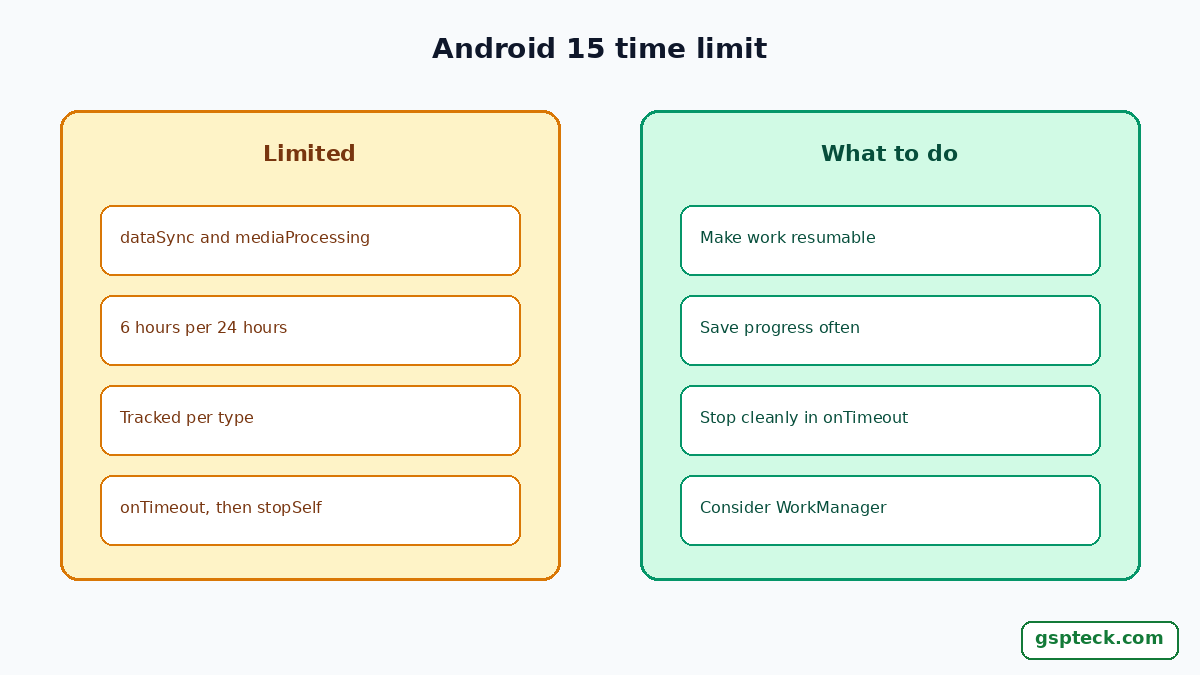
From Android 15, the system limits how long dataSync and mediaProcessing services may run while the app is in the background: a total of 6 hours in a 24-hour period, tracked separately for each type. The mediaProcessing type itself was added in Android 15. When the limit is hit, the system calls Service.onTimeout(int, int), and the service has a few seconds to call stopSelf(). If it doesn't, the system throws an internal exception. shortService has a stricter limit of its own.
For a Flutter app, this means a long sync should be resumable. Save progress, stop cleanly in onTimeout, and pick up later. If the work doesn't need to be immediate, WorkManager is often a better fit than a foreground service. If your plugin doesn't handle onTimeout, check its issue tracker before your next target-API bump; the target API 36 deadline guide covers the timing.
Testing before release
- Run on an Android 14 emulator and an Android 15 or 16 one. Start each foreground feature and watch logcat for
MissingForegroundServiceTypeExceptionorSecurityException. - On Android 13 and higher, check that the ongoing notification actually shows; without the notification permission it won't. See POST_NOTIFICATIONS in Flutter.
- For timed work, schedule it properly instead of keeping a service alive; exact alarms on Android 14 has the policy side.
- Push the build to internal testing first, so the Play declaration is checked before production.

Common Flutter plugin cases
Most Flutter apps that hit this have one of a handful of features. Each maps to a type, and each type to its own permission:
- Background audio (podcasts, music, audio books):
mediaPlaybackwithFOREGROUND_SERVICE_MEDIA_PLAYBACK. - Live location (run tracking, deliveries):
locationwithFOREGROUND_SERVICE_LOCATION, and the location permission granted first. - User-started uploads or downloads:
dataSyncwithFOREGROUND_SERVICE_DATA_SYNC, which is the type with the Android 15 time limit. - Calls (VoIP apps):
phoneCallwithFOREGROUND_SERVICE_PHONE_CALL. - Camera or microphone in use while the app is in the background:
cameraormicrophone, each with its own permission.
If a plugin declares a type your app never uses, for example a general background plugin that adds dataSync "just in case", you still have to declare it in Play or remove the service from your merged manifest with tools:node="remove". Removing what you don't use is cleaner than writing a declaration for a feature that doesn't exist.
My own routine before every target-API bump is the same three checks: diff the merged manifest against the previous release, list any new <service> entries a plugin update brought in, and compare them with the types already declared in Play Console. It takes ten minutes and catches the surprise before review does.
FAQ
What causes MissingForegroundServiceTypeException in Flutter?
A service started with startForeground() has no foregroundServiceType in the merged manifest while the app targets Android 14 or higher. It's often a plugin's service.
Do I need the Play Console declaration if a plugin adds the service?
Yes. Play looks at your app bundle, so any foreground service type in the merged manifest needs a declaration, whoever wrote it.
What video does Play want for a foreground service?
A link to a video that shows the steps a user takes in your app to trigger the feature that uses each declared type.
How long can a dataSync foreground service run on Android 15?
A total of 6 hours in a 24-hour period while the app is in the background, after which onTimeout() is called.
Which permission goes with each type?
Each type has its own FOREGROUND_SERVICE_<TYPE> permission, such as FOREGROUND_SERVICE_MEDIA_PLAYBACK, declared alongside FOREGROUND_SERVICE.
Sources
- Android Developers: Foreground service types are required (Android 14) (checked 2026-10-31)
- Android Developers: Foreground service timeouts (checked 2026-10-31)
- Play Console Help: Understanding foreground service and full-screen intent requirements (checked 2026-10-31)